
Designing Private, Searchable Content Without Exposing It Publicly
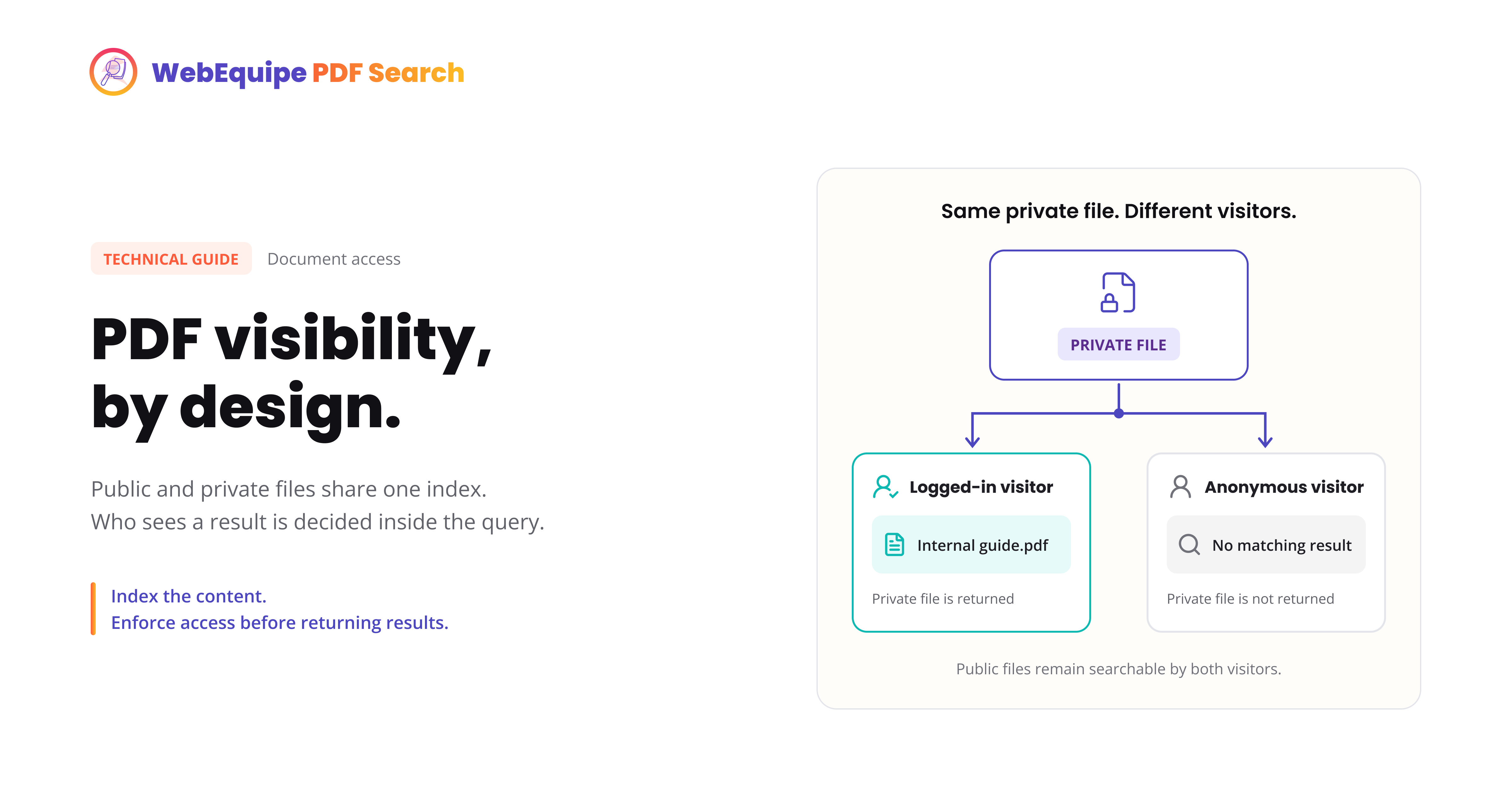
How Private PDF Search keeps a document fully indexed for the people meant to see it, while staying invisible to everyone else.
On this page
The Naive Fix: Exclude It Entirely
What We Actually Needed
Adding Visibility as a First-Class Column
Enforcing It at Query Time, Not Display Time
Where This Hooks into WordPress Search
The Edge Cases That Almost Got Us
What We Learned
A request that came up more than once: someone has a PDF that should stay searchable, but only for logged-in users. A member handbook, an internal policy, a document meant for one audience and not the general public. Our existing tools didn't really cover that.
The Naive Fix: Exclude It Entirely
Our first answer was the tool we already had: Exclude. Mark the PDF as excluded, it never gets indexed, it never shows up in search, done.
Except that's not actually what anyone wanted. Excluding a PDF makes it invisible to everyone, including the exact people it's meant for. A member trying to search for a clause in the handbook they're allowed to read gets the same "no results" as a random visitor who shouldn't see it at all. We'd solved "keep it private" by also breaking "keep it useful."
What We Actually Needed
The real requirement was narrower than exclusion: a document that's fully indexed, fully searchable, but whose visibility depends on who's asking. Logged-in and authorized: show it. Anonymous or unauthorized: pretend it doesn't exist, not even a "restricted" placeholder, just absence.
That last part mattered more than it might seem. A search result that shows up as "this exists but you can't see it" leaks information, it confirms the document exists and roughly what it's about. We wanted true absence for unauthorized visitors, not a locked door.
Adding Visibility as a First-Class Column
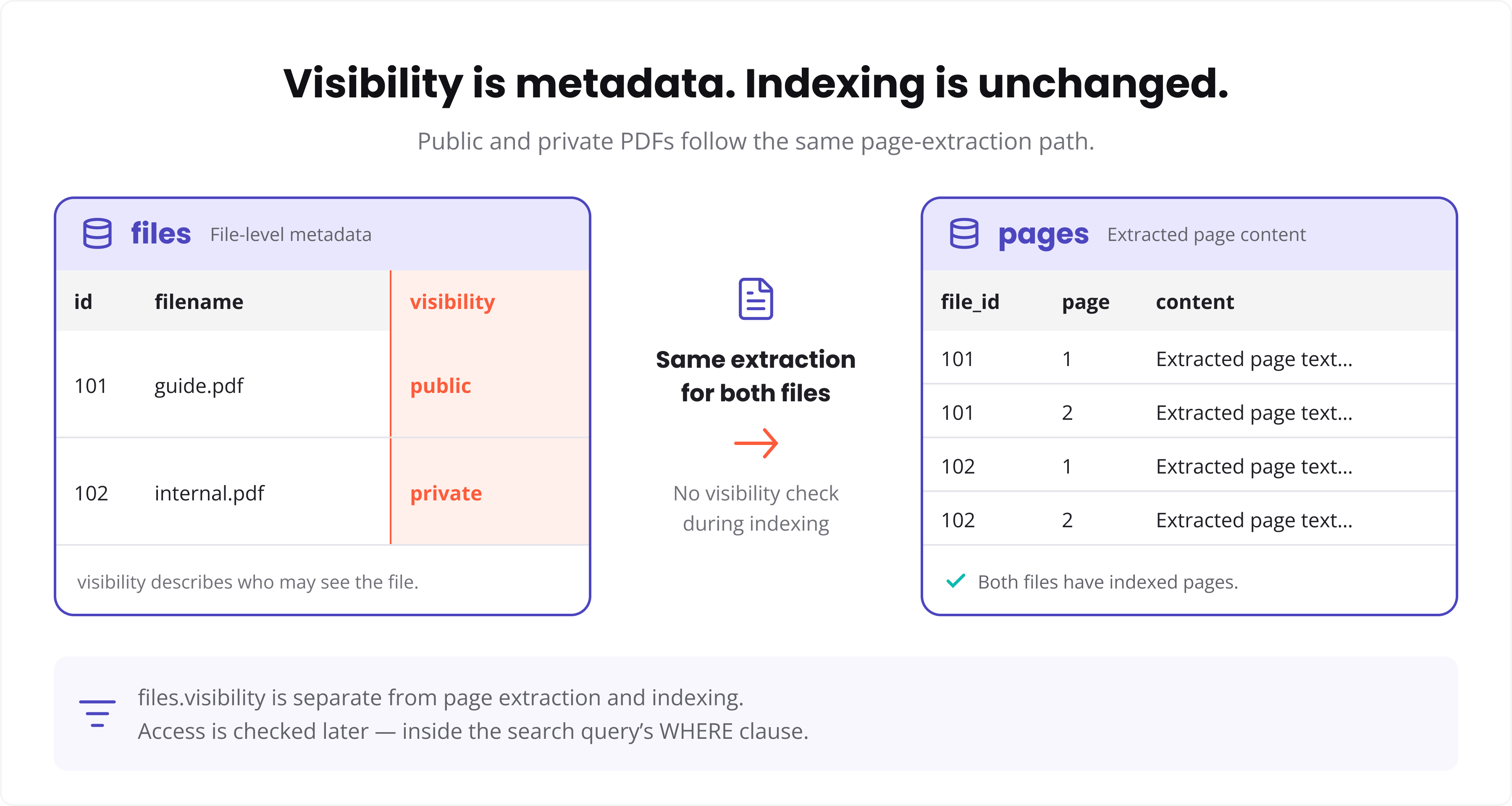
Rather than bolt visibility on as an afterthought, it became a column on the files table itself:
ALTER TABLE {$wpdb->prefix}webequipe_pdf_search_files
ADD COLUMN visibility VARCHAR(10) NOT NULL DEFAULT 'public';
-- values: 'public' or 'private'
Indexing doesn't change based on this value at all, a private PDF gets extracted, chunked, and stored in the pages table exactly like a public one. Visibility is purely a display-time and query-time concern, never an indexing-time one. That separation turned out to matter a lot for keeping the logic simple.
Enforcing It at Query Time, Not Display Time
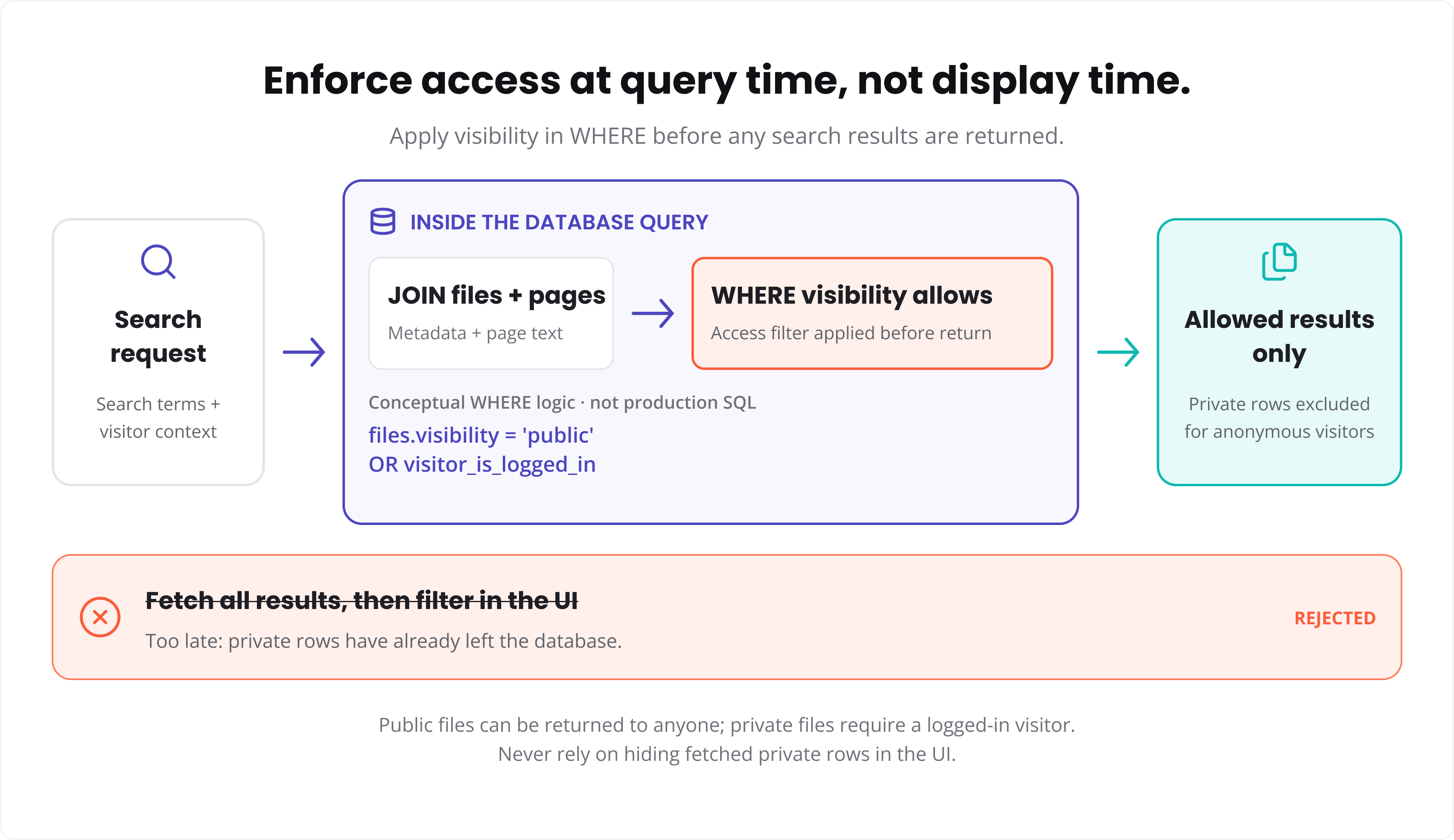
The tempting shortcut is to run the search normally, get all results back, then filter out private ones before rendering. We deliberately didn't do that.
Filtering after the fact means private content briefly exists in a results array that's passed through template code, caching layers, maybe a REST response, before getting stripped. Every one of those is a place a filter step could get missed or bypassed later by someone touching the code without knowing the rule exists.
Instead, the visibility check happens inside the query itself:
function webequipe_search_pages( $term, $is_logged_in ) {
    global $wpdb;

    $pages_table = $wpdb->prefix . 'webequipe_pdf_search_pages';
    $files_table = $wpdb->prefix . 'webequipe_pdf_search_files';

    $visibility_clause = $is_logged_in
        ? ""
        : "AND f.visibility = 'public'";

    $sql = "SELECT p.file_id, p.page_number, p.page_text,
                   MATCH(p.page_text) AGAINST (%s IN NATURAL LANGUAGE MODE) AS relevance
            FROM {$pages_table} p
            INNER JOIN {$files_table} f ON f.id = p.file_id
            WHERE MATCH(p.page_text) AGAINST (%s IN NATURAL LANGUAGE MODE)
            {$visibility_clause}
            ORDER BY relevance DESC
            LIMIT 50";

    return $wpdb->get_results( $wpdb->prepare( $sql, $term, $term ) );
}
An anonymous visitor's query never touches private rows at all, they're excluded by the JOIN and WHERE clause before any result exists to accidentally leak. There's no second step to forget.
Where This Hooks Into WordPress Search
The $is_logged_in flag comes from a single check at the top of the search request:
add_filter( 'the_posts', 'webequipe_inject_pdf_results', 10, 2 );

function webequipe_inject_pdf_results( $posts, $query ) {
    if ( ! $query->is_search() || ! $query->is_main_query() ) {
        return $posts;
    }

    $term          = $query->get( 's' );
    $is_logged_in  = is_user_logged_in();
    $pdf_results   = webequipe_search_pages( $term, $is_logged_in );

    // merge $pdf_results into $posts here

    return $posts;
}
is_user_logged_in() is the simplest version of the check. Site owners who want visibility scoped to specific roles or membership levels rather than just logged-in-or-not can swap that single line for a capability check, the query structure underneath doesn't change.
The Edge Cases That Almost Got Us
A couple of things caught us during testing that are worth naming honestly:
Object caching. If search results get cached without the visibility state baked into the cache key, a logged-in user's results could get served to an anonymous visitor from cache, private content included. Cache keys need the logged-in state as part of what makes them unique, not just the search term.
REST API access. WordPress's REST endpoints don't automatically go through the same query path as the front-end search form. Any custom endpoint touching PDF search needed the identical visibility check applied independently, it's not inherited for free just because the main search query has it.
Neither of these is exotic, but both are the kind of thing that's invisible until someone actually tests as two different users side by side, not just as an admin who can see everything anyway.
What We Learned
The instinct to "filter it out before showing it" is usually the wrong instinct for anything sensitive. If private content can exist in memory at any point before the filter runs, it's one refactor away from leaking. Pushing the check as close to the database query as possible, so private rows are never fetched at all rather than fetched-then-hidden, removed an entire category of future bugs before they could happen.
The harder part wasn't the SQL. It was testing as two different users, not one, and specifically trying to break it rather than just confirming it worked for the case we expected.
#wordpress #php #mysql #security #search


